


Chatbot - AI Smart Assistant
4.32.10K Reviews
App Specs
- Version
- 1.0.35
- Updated On
- License
- Free
- Downloads
- 5,000,000+
- Developer
- HubX
- Categories
- Productivity
- Platform
- Android, iOS
Screenshots
 Analysis by AppCompare
I’m cautious about treating any AI chatbot as an all-purpose assistant, especially when a question involves private details or a decision that matters. Chatbot - AI Smart Assistant is a productivity app from HubX, and its broad appeal is easy to understand: it brings conversational help for tasks such as homework, maths, and writing into one place. I’d approach it as a useful starting point, not as an authority whose answers should be accepted without a check.
What I would check before relying on it
There is an important difference between a chatbot sounding confident and being dependable. When I use an answer for a school assignment, a work email, or a practical decision, I look for claims I can verify elsewhere and ask follow-up questions when the response is vague. That habit matters with any AI tool, including this one: a fluent explanation can still be incomplete or mistaken.
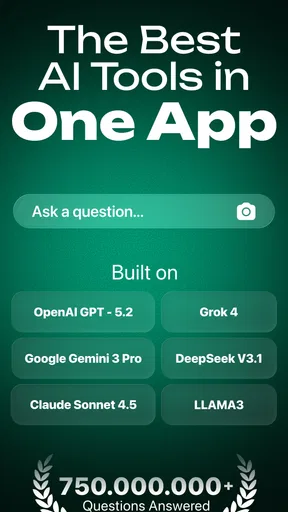
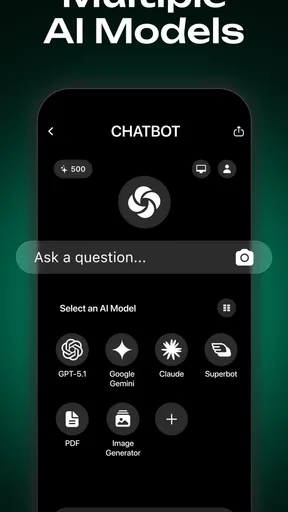
The app offers access to different AI models, including GPT-5 and Gemini, which may give users more than one way to approach a question. I see that as a reason to compare outputs when a task is difficult, rather than assuming that choosing a model guarantees accuracy. A second response can expose a missing step or a different interpretation, but it is not proof that either answer is correct.
Keep sensitive prompts out of the chat
For everyday brainstorming, I’m comfortable asking for a meal idea or help making a paragraph clearer. I would be more careful with personal, financial, medical, or workplace information. Before entering anything sensitive, I’d check the app’s current privacy information and the choices shown in the app itself. I wouldn’t paste a password, identifying details, private messages, or confidential documents into a chatbot unless I had a clear reason and understood how that information would be handled.
This is a practical boundary, not a claim about the app’s data practices. The safe approach is to share only what the task needs: describe a situation in general terms, remove names and account details, and review a draft for private information before using it elsewhere. That lets me get help with wording or ideas while keeping unnecessary personal context out of the prompt.
Choose the right tool for the job
Chatbot works best for flexible questions and first drafts. If I need a calculation that must be exact, I would check the result with a calculator; if I need current, authoritative information, I would consult a suitable primary source. For polished writing, I’d treat a generated draft as raw material and revise it so it reflects my own facts and voice. The chatbot can speed up the first step, but it does not remove the need to judge the result.
There is also a difference between a conversational AI app and a dedicated tool. A calendar is still better for dependable scheduling, and a specialist learning resource may be better for a structured course. I’d use this app when I want to ask a question in ordinary language or explore an idea, then switch to the tool designed for the task when accuracy, organization, or a lasting record matters more.
Worth Reading Before You Choose

EA SPORTS FC Mobile 26 Is a Bigger Football Game, but It Takes Time

Flipboard Shows What News Apps Must Do Beyond the Feed

Switching to Android Auto Means Rethinking Your Driving Routine

Google Calendar Makes a Crowded Week Easier to Manage

Ludo King Makes the Most of the Minutes Between Plans

Baby Panda World Brings Quick Play to Modern Phones, but Its Game Library Feels Busy
Who is likely to get the most from it?
Students who want a concept explained in simpler terms, people looking for a starting point for an essay, and anyone who enjoys testing ideas through follow-up questions may find the format convenient. A useful study routine is to ask for a worked explanation, try the next problem independently, and then ask the chatbot to point out where the reasoning went off track. That keeps the learner involved instead of turning the app into an answer dispenser.
For writing, I’d give it a clear role: suggest an outline, offer alternative ways to phrase a sentence, or help identify what a paragraph is missing. I would not submit generated work unchanged. The stronger workflow is to supply a brief, non-sensitive description of the assignment, request a structure, and then write and fact-check the final version myself. That makes the app a drafting partner rather than a substitute for the work.
A small, realistic workflow
Imagine I have a short break before a meeting and need to make a dense set of notes easier to understand. I can ask for a plain-language explanation, then request three questions that would test whether I understood it. I’d answer those questions myself and check any factual point that will go into the meeting. The value is not just a quick summary; it is turning spare minutes into a short practice session without pretending the chatbot knows my audience or the full context.
A similar approach works for a homework topic: ask for a hint before asking for a full solution, then compare the explanation with class materials. Asking for a hint first is a small but useful choice because it preserves the chance to solve the problem yourself. If the explanation skips a step, I can ask about that step specifically instead of starting over with a broad prompt.
Getting Started with Chatbot
So, first things first, setting up Chatbot - AI Smart Assistant is a breeze. All you need is a quick download from either the App Store or Google Play, depending on your device. Once you open it up, you’re greeted with a super clean and intuitive interface. I love that it doesn’t bombard you with a ton of features right off the bat. It’s just you and your AI buddy ready to go.
Features That Stand Out
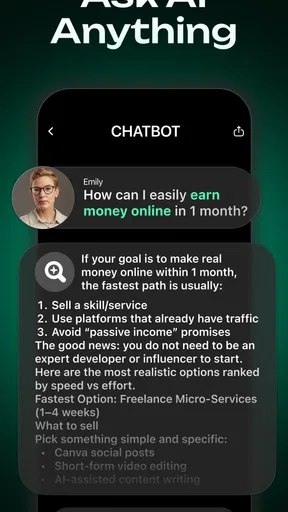
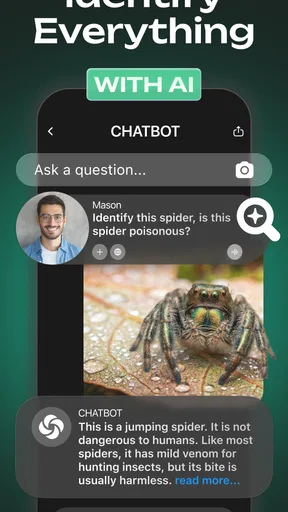
Let’s dive into what makes this app tick. The real magic of this app is its ability to understand natural language. It’s like chatting with a friend—no need to phrase things awkwardly or use specific commands. Just ask away! Whether you need to set a reminder, search for a recipe, or even translate a phrase, this app has you covered.
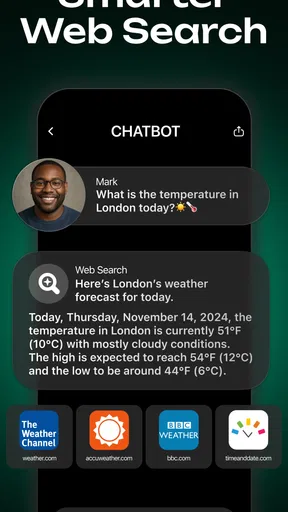
One nifty feature is the contextual understanding. Let’s say you’re asking about the weather for a specific day, then follow up with, “What about the weekend?” The app smoothly keeps track of your context without skipping a beat. It’s little things like this that make it feel genuinely smart.
Daily Use and Practicality
Now, I know what you’re thinking—how does this app actually fit into daily life? Well, let me tell you, it’s a real game-changer. I’ve found myself using it for everything from managing my schedule to getting quick news updates. Imagine having the ability to check traffic conditions before heading out or maybe finding a new podcast to listen to during your commute—all with just a quick chat.
Also, the app’s ability to integrate with other apps is impressive. You can sync your calendar, link it to your smart home devices, and even use it to send texts or make calls. It’s like a Swiss Army knife of apps!
Security and Privacy
In this day and age, privacy is a big deal, and rightly so. Thankfully, Chatbot - AI Smart Assistant takes this seriously. It doesn’t store your data without permission, and you can always review what’s kept on file. This transparency is reassuring, especially when dealing with AI.
For me, the most practical way to get useful answers is to give the chatbot enough context to understand the task without turning a prompt into a personal dossier. If I want a recipe adapted for a busy evening, I can mention the ingredients I have and the time I can spend, without including unrelated details about my household. For a writing request, I can describe the audience and tone while removing names or private correspondence. This balance usually produces a more focused answer and limits what I choose to share.
I’d also separate temporary help from information I need to keep reliably. A chat response can be useful for thinking through a plan, but it is not automatically a durable record or a reminder. If something has a deadline, I’d put it in a calendar or task manager I already trust rather than assuming a conversation will manage it for me. That distinction helps prevent a helpful-sounding exchange from being mistaken for a completed action.
Free to try, with a reason to check the terms
The app is free to install, while optional in-app purchases range from $4.99 to $69.99 per item. I’d explore what I can do without paying before deciding whether an upgrade is worthwhile, and check the purchase screen carefully so I understand what an item includes. A broad price range makes it especially sensible to pause rather than tap through a payment prompt just to keep a conversation moving.
It has an average rating of 4.5 from around 153,000 ratings, and has passed five million installs. Those figures suggest that many people have tried it, but popularity does not tell me whether a particular answer is accurate or whether a paid option suits my routine. I’d judge it by the quality of its replies to my own recurring tasks and by whether the available choices feel clear enough for me to use comfortably.
Practical limits and alternatives
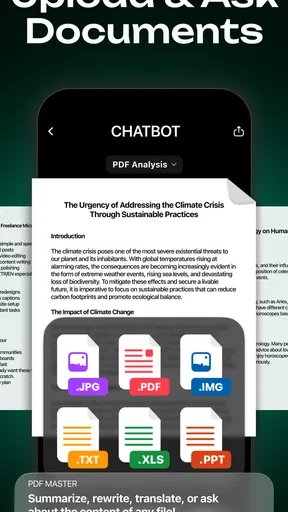
Chatbot’s conversational format is a strength when I’m not sure how to phrase a question, but it can also make a task feel more complete than it is. A generated essay outline still needs research and original thought; a maths explanation still deserves a check if the result matters. When I need traceable sources, formal citations, or a calculation I can audit line by line, I’d go directly to a reference source or a dedicated tool rather than treating a chatbot response as the finished product.
Compared with searching the web, chatting can be quicker for turning a broad request into a tailored explanation, but conventional search is often better when I need to inspect several original sources myself. Compared with a single-purpose writing or maths app, this assistant is more flexible, though that flexibility may come with less task-specific structure. I’d choose based on the job: use conversational help to get unstuck, and use a specialist tool when a repeatable process or verifiable output is the priority.
It is rated for Everyone, runs on Android 7.0 or later, and its current version is 1.0.33. That makes it relevant to a wide range of users, but age suitability is not a replacement for thoughtful use. For a younger student, I’d frame it as a way to ask for explanations and practice, with a parent or teacher setting expectations around checking answers and doing the learning rather than copying a response.
Final Thoughts
In a nutshell, Chatbot - AI Smart Assistant is a fantastic addition to any smartphone. It’s user-friendly, highly functional, and genuinely makes life a bit easier. Whether you’re tech-savvy or just looking for a bit of help managing your day, this app is worth checking out. Give it a whirl, and you might just wonder how you ever got by without it!
My recommendation is more measured: I’d try it if I wanted an approachable place to brainstorm, get a first explanation, or shape an early draft, and I’d keep a habit of checking anything consequential. I would skip it as my main choice if I needed a dependable scheduler, a fully sourced research workflow, or a tool that guarantees a correct answer without review. Used with sensible boundaries, its greatest value is helping me move from a blank page or a confusing question to a clearer next step.
Pros
- Intuitive user interface for easy navigation.
- Quick response time enhances user experience.
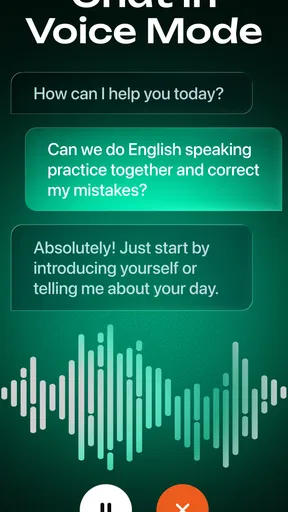
- Supports voice and text input options.
- Integrates smoothly with other apps.
- Offers personalized recommendations.
Cons
- Limited free features; premium required.
- Occasional connectivity issues.
- Not all languages are supported.
- Can drain battery if used extensively.
- Requires stable internet to function.
FAQs for Chatbot - AI Smart Assistant
What platforms is Chatbot - AI Smart Assistant available on?
Chatbot - AI Smart Assistant is available for both Android and iOS devices. You can download it from the Google Play Store for Android smartphones and tablets, and from the Apple App Store for iPhones and iPads. Ensure your device meets the minimum OS requirements for optimal performance.
What are the main features of Chatbot - AI Smart Assistant?
The app offers a variety of features including natural language processing for conversational interactions, task automation, personalized recommendations, and integration with other apps like calendars and reminders. It also supports multiple languages, making it accessible to a global audience.
Is Chatbot - AI Smart Assistant free to use?
Chatbot - AI Smart Assistant offers a free version with essential features. However, there is a premium subscription available that unlocks additional features such as advanced customization, priority support, and enhanced AI capabilities. Check the app stores for detailed pricing information.
How does Chatbot - AI Smart Assistant ensure user privacy?
The app prioritizes user privacy by implementing robust encryption protocols to protect data. It collects minimal user information necessary for functionality and provides clear privacy settings, allowing users to control data sharing. Regular updates ensure compliance with the latest privacy regulations.
Can Chatbot - AI Smart Assistant integrate with other apps?
Yes, Chatbot - AI Smart Assistant can integrate with a variety of third-party apps. This includes popular productivity tools, social media platforms, and smart home devices. Integration allows the chatbot to streamline tasks and provide a more seamless user experience. Check the app settings for integration options.


